
Managing a boutique or tailoring unit involves coordinating multiple moving parts from measurement taking to cutting, stitching, and finishing. Without a streamlined system, boutique owners often find themselves micromanaging every step, leading to burnout and production delays. A tailor app solves this by digitizing task management, allowing you to assign daily duties, track progress in real-time, and ensure every team member is accountable for their work.
By shifting from manual verbal instructions to a structured digital workflow, fashion businesses can ensure that orders move smoothly through the production line without constant supervision.
Why Manual Task Management Causes Delays in Boutiques
In many traditional setups, task assignment is verbal or recorded in rough notebooks. This reliance on memory and paper creates significant bottlenecks that slow down production.
- Communication Gaps: Verbal instructions are often forgotten or potential misunderstandings occur regarding specific design details.
- Lack of Visibility: Without a central system, a boutique owner cannot instantly see which karigar (artisan) is working on which order.
- The "Blame Game": When an error occurs or a deadline is missed, it becomes difficult to pinpoint who was responsible for that specific stage of production.
- Dependency on the Owner: If the owner is not present to delegate the next task, work often comes to a standstill.
A tailoring application eliminates these issues by creating a transparent, digital record of every assignment, ensuring the team knows exactly what needs to be done.
What Is Digital Task Assignment in a Tailoring App?
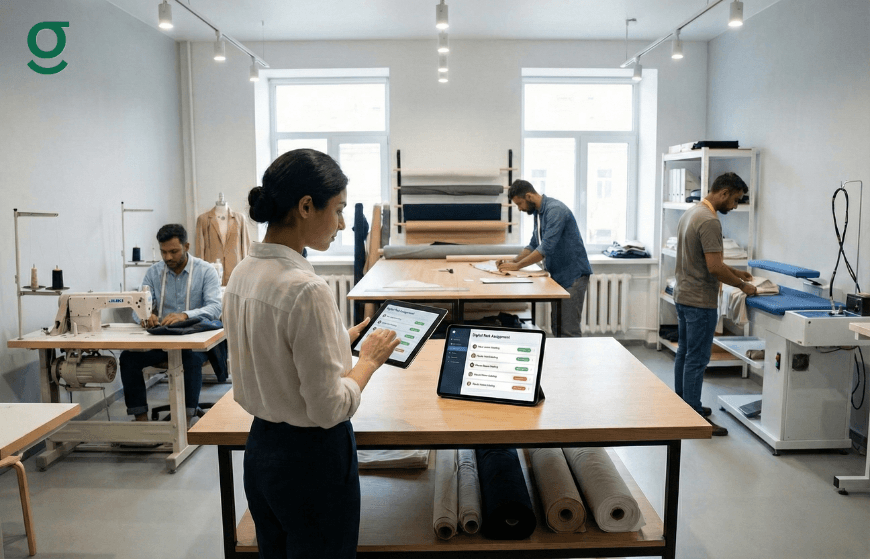
Digital task assignment is the process of allocating specific production stages to specific staff members using tailoring software. Instead of a generic "to-do" list, the app breaks down a customer's order into distinct workflows such as cutting, stitching, hemming, and finishing.
With GrowStitch, this is handled through the Production Insight feature. This allows the admin to visualize the entire journey of a garment. It transforms the abstract concept of "work in progress" into concrete, trackable data. When a task is assigned digitally, it appears on the dashboard, creating a clear commitment for the staff member to complete it within the set timeframe.
Step 1: Onboarding Your Team and Defining Roles
The first step to building accountability is getting your team onto the platform. A robust online tailor app allows you to create profiles for your staff, defining their specific roles within the shop.
- Add Team Members: Input details for your masters, tailors, and finishers.
- Set Permissions: Define what each user can see. For example, a stitching tailor may only need access to order measurements and design notes, while a store manager needs access to sales reports and store setup configurations.
- Secure Access: By giving each staff member a unique login, you ensure that every action taken in the app is logged under their name, creating an immediate sense of ownership.
Step 2: Assigning Daily Tasks for Cutting, Stitching, and Finishing
Once your team is onboarded, you can start assigning daily work directly through the app. This replaces the morning chaos of distributing bundles of fabric with a structured digital process.
The Assignment Workflow:
- Order Entry: When a new order is created, all details including measurements, fabric type, and due date are recorded.
- Stage Allocation: Using the Production Insight feature, you can move the order into specific stages. You can assign the "Cutting" stage to your Masterji and the "Stitching" stage to a specific tailor.
- Customization: The app allows you to customize, skip, or assign these stages based on the complexity of the garment. For a simple alteration, you might skip "Cutting" and go straight to "Stitching."
This clarity ensures that every staff member knows their targets for the day the moment they log in.
Step 3: Tracking Individual Karigar Performance and Workload
Accountability is impossible without measurement. A tailor app provides the data you need to understand how your team is performing individually.
- Monitor Progress: The dashboard lets you see which orders are "In Progress," "Completed," or "Pending." If a specific tailor is consistently lagging on the "Stitching" stage, you can identify the bottleneck immediately.
- Workload Balancing: If one karigar is overloaded while another is free, you can reassign tasks to balance the workflow, ensuring deadlines are met without overworking your staff.
- Performance Review: Over time, the data reveals who your most efficient workers are. You can track who completes the most orders on time and who frequently creates delays, allowing for data-backed performance appraisals.
How Digital Accountability Reduces Production Errors
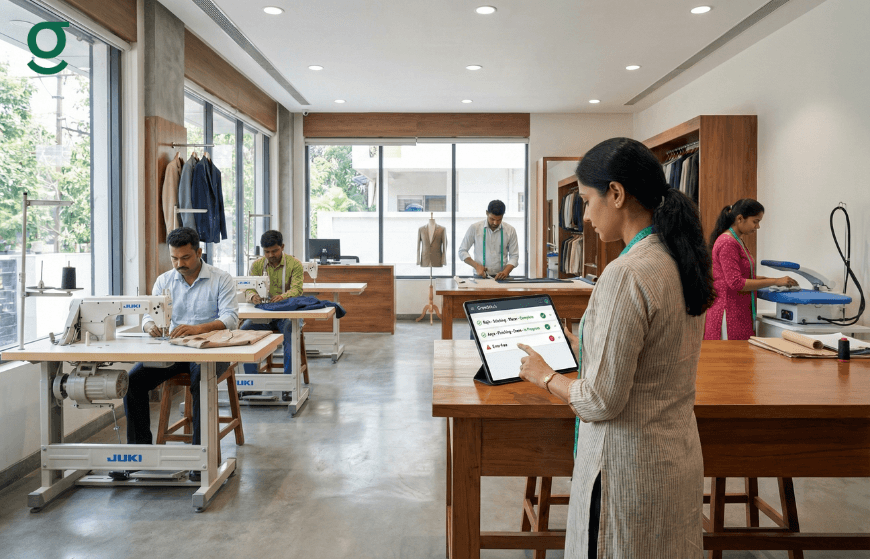
Mistakes in tailoring such as wrong measurements or missed design details are costly. Digital accountability significantly reduces these errors by providing a "single source of truth."
- Access to Instructions: With the tailor app, the assigned tailor has access to all order details, including voice notes and reference images attached to the order. They don't need to rely on memory or ask the owner repeatedly.
- Traceability: If a garment is stitched incorrectly, the system shows exactly who worked on the stitching stage. This moves the culture from avoiding blame to taking responsibility and fixing the issue.
- Job Sheets: You can generate and print a Job Sheet containing all the necessary details. This travels with the fabric, ensuring that the instructions in the app match the physical work being done.
Conclusion
Adopting a tailor app like GrowStitch is a strategic move to professionalize your boutique. By moving away from manual chaos to digital task assignment, you empower your team to take ownership of their work. This leads to higher accountability, optimized daily workflows, and a significant reduction in production delays. Ultimately, it allows the business owner to step back from daily firefighting and focus on growth.
And if you move now, the first 1,000 users get exclusive early-bird access, download the app today and stay ahead while others struggle to catch up
Frequently Asked Questions
1. Is a tailor app suitable for a small shop with only 2-3 tailors?
Yes. Even for small teams, a tailor app helps organize measurements and orders, preventing the loss of information and ensuring efficient store setup.
2. Can I track the production stages of every order?
Yes. The Production Insight feature allows you to track orders through stages like cutting, stitching, hemming, and finishing.
3. Does the app help with staff who cannot read English well?
GrowStitch is designed with a user-friendly interface. Features like voice notes and reference images allow staff to understand instructions without relying solely on text.
4. How does the app handle special instructions for designs?
You can attach voice descriptions and reference images directly to the order. The assigned tailor can view or listen to these instructions to ensure the design matches the customer's request.
5. Can I see how many orders a specific tailor completed?
Yes. The system tracks the status of orders assigned to each user, giving you visibility into the volume of work completed by each team member.
6. Is it difficult to set up the app for my team?
No. The onboarding process is designed to be simple. You can easily add contacts, set up your store profile, and define production stages to match your existing workflow.