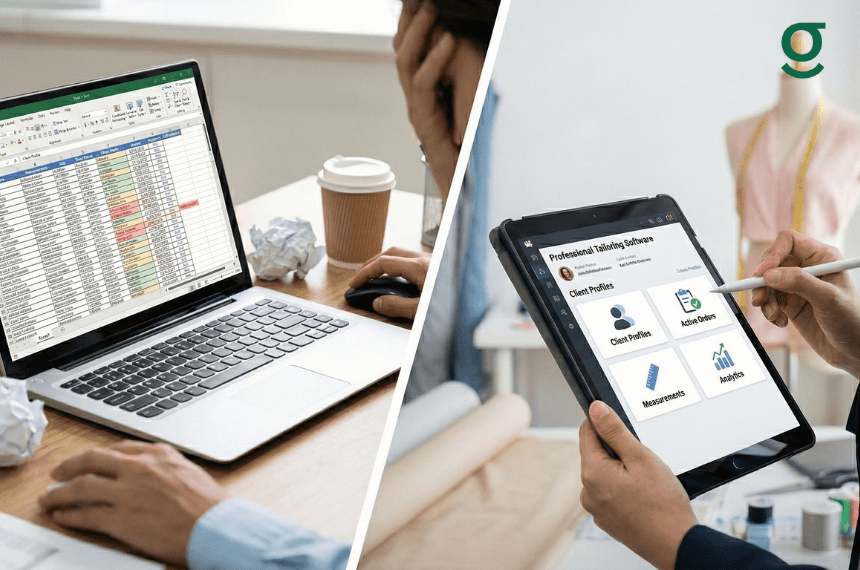
When should a boutique switch from Excel to tailoring software?
You should switch to dedicated tailoring software when administrative tasks like tracking order status, calculating pending payments, and managing customer measurements consume more time than designing and stitching. If you are relying on manual follow-ups, diaries, or scattered WhatsApp messages to run your business, you have likely outgrown spreadsheets and need a system built for real tailoring workflows
Running a fashion boutique or a bespoke tailoring unit is an art, but managing it is a science. Many boutique owners in India start with a simple notebook or Excel. However, as your order volume grows especially when juggling domestic walk-ins with overseas clients the tool that helped you start often becomes the bottleneck that stops you from growing
Excel is a calculator, not a boutique management platform. It cannot track the difference between a "Cutting" stage and a "Finishing" stage, nor can it alert you when a bridal lehenga delivery is at risk. If you feel overwhelmed by daily operations, here are five signs you are ready for a professional tailoring application.
Sign #1: You Are Drowning in "Version Control" Chaos
One of the first indicators that Excel is failing is the confusion surrounding which file is the "right" file. In a busy boutique, data changes constantly.
The Spreadsheet Reality
When relying on spreadsheets, orders often get scattered across different files, diaries, and memory. You might have multiple versions of the same order list, leading to critical errors:
- Lost Details: Staff might accidentally overwrite a customer's measurement or miss a specific design instruction because they were rushing.
- Reliance on Memory: Without a centralized system, you often rely on memory or chat history to recall what a customer wanted, which leads to mistakes.
The Software Solution
A professional tailoring software like GrowStitch eliminates this chaos by providing a single source of truth.
- Centralized Data: It ensures that every order, measurement, and preference is stored in one place, accessible to everyone who needs it.
- Accuracy: Guided flows for order creation ensure that staff capture all necessary details from measurements to fabric instructions without relying on memory

Sign #2: You Cannot "Stitch" Photos to Spreadsheets

Fashion is visual. A spreadsheet row reading "Blue Silk Blouse" does not capture the specific shade or the embroidery design the customer requested.
The Visual Disconnect
Excel is built for numbers, not images. Most boutique owners end up storing reference images and sketches on WhatsApp while keeping order details in Excel. This disconnection is a primary cause of production errors. When a masterji has to scroll through weeks of chat history to find a design photo, mistakes happen.
The Visual Workflow in a Tailor App
Modern tailoring software is designed for how boutiques actually work.
- Integrated Visuals: You can attach design references, fabric photos, and sketches directly to the digital order ticket.
- Clear Instructions: This ensures that the production team sees exactly what needs to be made, reducing the need for constant clarification and preventing rework
Sign #3: Your "Mobile Experience" is Pinch-and-Zoom
Boutiques do not run from desks. The real action happens on the shop floor measuring a customer, checking fabric, or inspecting a garment.
The Excel Mobile Nightmare
Using Excel on a smartphone involves frustrating "pinch-and-zoom" maneuvers. It is not designed for quick data entry while standing. This often leads to staff writing details on paper scraps to "enter later," which is when errors occur.
The Mobile-First Tailor App
A dedicated tailor app like GrowStitch uses a mobile-first design specifically for high-footfall environments
- Shop-Floor Friendly: The interface supports fast taps and minimal typing, allowing staff to create complete, accurate orders in a single flow even during peak hours
- Real-Time Updates: You can manage your business from anywhere, ensuring you are not tied to a desktop computer
Sign #4: You Are the Only "Reminder System"

Excel is a passive record; it does not talk to you. It will not alert you that a delivery is due or a payment is pending.
The Burden on the Owner
When using Excel, you must manually check for upcoming deadlines.
- Missed Deliveries: Delays often happen because owners don't know where work is stuck or which stage is overloaded until it is too late
- Payment Leakage: Without automated tracking, it is easy to lose track of pending balances and partial payments, hurting your cash flow
Automated Workflow Tracking
GrowStitch acts as an active partner. It tracks actual production stagesCutting, Stitching, Finishing, and QCnot just vague statuses
- Bottleneck Alerts: The system identifies delays at specific stages so you can fix them before they impact the customer
- Payment Intelligence: It gives you a clear view of paid versus pending amounts, ensuring you know exactly what needs follow-up
Sign #5: Your Revenue Data is Exposed to Everyone
Excel files are usually "all or nothing." To share order details with staff, you often have to share the whole file, including sensitive revenue data.
The Privacy Risk
You cannot easily restrict a junior staff member from seeing your total monthly sales or VIP customer contact details in a simple spreadsheet. This lack of control leaves your business vulnerable.
Role-Based Access
Professional tailoring software balances ease of use for staff with powerful control for owners.
- Staff View: Employees see only what they need orders and measurements keeping the interface simple and fast.
- Owner View: You get access to the Intelligence Layer, which tracks business targets, India vs. overseas performance, and market benchmarking.
- Reduced Dependency: Standardizing these processes ensures your business does not break if one key person leaves
Comparison: Excel vs. Professional Software
| Feature | Excel / Manual | Professional Tailoring Software |
|---|---|---|
| Order Creation | Slow, prone to errors, typing-heavy | Fast, guided, accurate, mobile-friendly |
| Production Tracking | Vague status ("In Progress") | Real stages (Cutting, Stitching, Finishing) |
| Payment Tracking | Hard to track partial payments | Clear "Paid vs Pending" visibility |
| Customer History | Scattered across files | Complete history & measurements |
| Market Insights | None | Compare your growth vs. the market |
Conclusion: Upgrade to Intelligent Tailoring Software
If you recognize your business in any of the five signs above, drowning in version control, struggling with "pinch-and-zoom" mobile sheets, or acting as the only reminder system it is time to evolve. Excel was a great starting point, but it cannot support the complexity of a growing fashion business.
Switching to professional tailoring software is not just about "going digital"; it is about moving from chaos to clarity. GrowStitch is purpose-built to handle the unique workflows of boutiques , ensuring that you track real production stages , protect your revenue data , and gain deep insights into your market position.
Don't let manual spreadsheets hold you back. Empower your staff, delight your customers, and run your boutique with the confidence that comes from having a dedicated partner in your corner.
Ready to transform your store setup?
"Download Now: Unlock Early Bird access (Limited to the first 1,000 customers)."
Frequently Asked Questions (FAQs)
Why is an online tailor app better than a manual bill book?
An online tailor app automates calculations, tracks production stages in real-time, and sends reminders, which a manual bill book cannot do. It helps reduce delivery delays and ensures you never miss a pending payment
Is GrowStitch suitable for small boutiques?
Yes, it is designed to start simple and scale with your business. It is not a heavy ERP but a flexible platform that works well for small boutiques as well as multi-branch operations.
Can I track India vs. Overseas orders separately?
Yes. GrowStitch provides specific geographic insights, allowing you to track order volume, revenue, and average order value separately for domestic and international clients
Does the software provide market comparison?
Yes. The "Growth Insights" feature shows how your business compares with others in your area and category, giving you a clear market ranking.
Can I track production stages like stitching and finishing?
Yes. Unlike generic software, GrowStitch tracks the actual workflow of a tailoring unit, including cutting, stitching, finishing, and quality check stages.