Organizing a boutique catalogue with smart tailoring software means transitioning from static paper rate cards to a dynamic digital system that centralizes products, services, and pricing. By digitizing this data, boutique owners can standardize measurements, automate complex pricing for add-ons, and streamline production workflows from a single dashboard.
For fashion designers and tailoring units in India, managing a catalogue is not just about listing clothes; it is about handling the infinite variations of custom stitching. A dedicated tailor app like GrowStitch replaces the chaos of manual diaries with a structured database, ensuring that every order, whether a simple alteration or a complex bridal lehengais priced accurately and tracked efficiently.

Why a Digital Catalogue is Better Than a Manual Rate Card
In a traditional setup, pricing and catalogue details often reside in the owner's memory or a physical register. This reliance on manual methods creates bottlenecks, as staff members constantly need to check with the owner for quotes or specific customizations. Tailoring software eliminates this dependency by making the catalogue accessible, transparent, and standard for the entire team.
Here is why upgrading to a digital system is essential for modern boutique management:
| Feature | Manual Rate Card | Smart Tailoring Software |
|---|---|---|
| Updates | Requires re-printing or manual overwriting. | Instantly update prices and items across all devices. |
| Pricing Accuracy | High risk of calculation errors. | Automated billing ensures accurate totals every time. |
| Customization | Difficult to track variable costs like lining or embroidery. | "Add-on" features calculate extra charges automatically. |
| Visuals | No visual reference for staff. | Upload images for every item to avoid confusion. |
| Accessibility | Limited to the physical shop floor. | Access catalogue and sales data from anywhere. |
Moving to a digital platform empowers your staff to handle customer queries confidently, knowing they have the latest pricing and product details right at their fingertips.
Step-by-Step: Setting Up Your Catalogue on GrowStitch
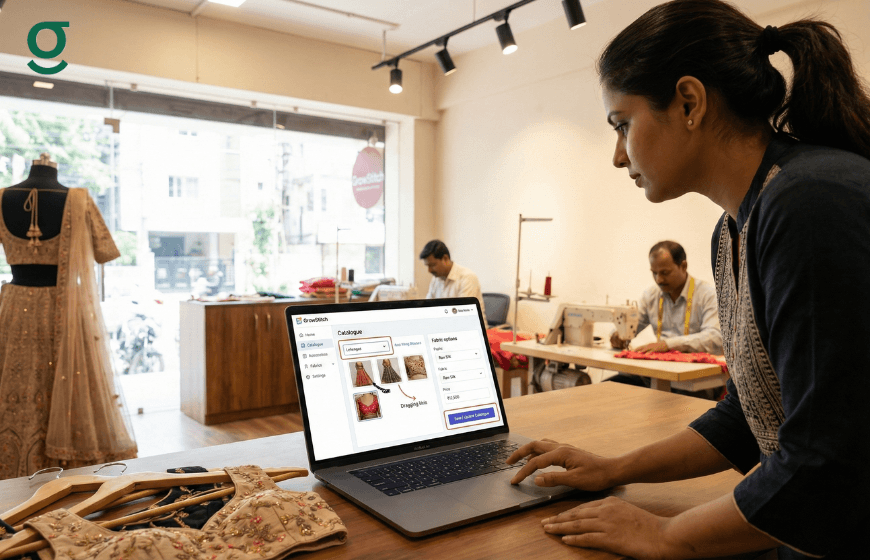
Migrating your inventory to tailoring software might seem daunting, but platforms like GrowStitch are designed with the specific needs of boutiques in mind. The setup process is intuitive, allowing you to build a comprehensive catalogue that reflects your unique offerings.
Follow these steps to organize your digital store:
- Define Primary Categories:
Begin by segmenting your services into broad categories. GrowStitch allows you to organize items under main headers like Women, Men, and Kids. This high-level sorting helps staff navigate the app quickly during customer consultations. - Create Individual Items:
Populate your categories with specific garments. You can add items such as "Blouse," "Kurta," "Sherwani," or "Plazo."
- Visual Aids: Upload reference images for each item. This is particularly useful for new staff who may not be familiar with specific design names.
- Descriptions: Add brief descriptions to clarify what is included in the base price (e.g., "Basic stitching with lining included").
- Configure Production Stages:
Unlike generic retail apps, a specialized tailor app allows you to map the production journey for each item. You can define stages such as Cutting, Stitching, Hemming, Finishing, and Quality Check (QC). You can even customize these stages for instance, adding a "Dyeing" stage for specific fabrics ensuring the software matches your actual workflow. - Set Pricing and Targets:
Assign a base price to each item. Once your catalogue is active, the dashboard will use these prices to track your store's performance against the targets you set, giving you a clear view of your revenue progress.
Managing Complex Customizations and Add-ons
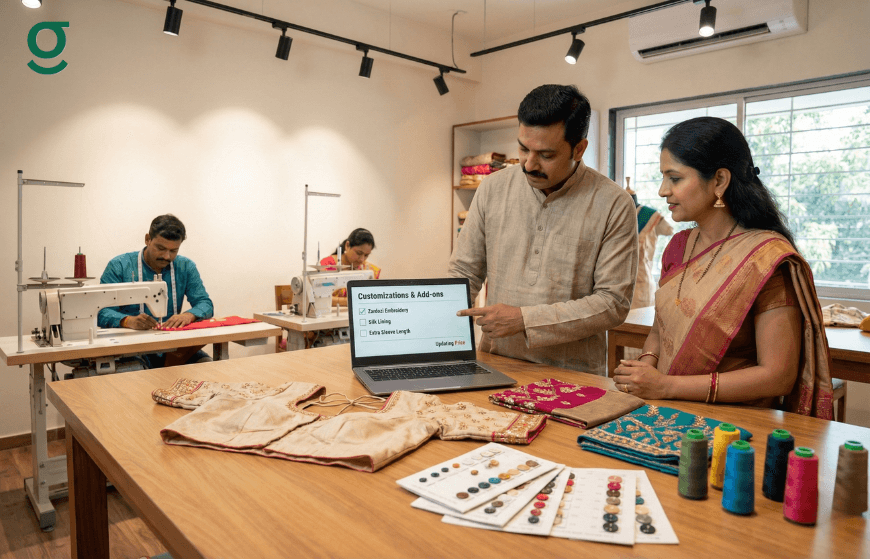
The defining feature of custom tailoring is variability. A standard price rarely covers the specific needs of every customer. Tailoring software excels here by handling "Add-ons" and flexible measurements, ensuring you get paid for every extra service you provide.
streamlining Extra Charges with Add-ons
Manual billing often misses small but costly extras. With GrowStitch, you can create a library of Add-ons that can be applied to any order with a single tap.
- Material Costs: Create add-ons for cotton lining, crepe lining, or pads.
- Service Charges: Add specific costs for embroidery work, heavy borders, or express delivery.
- Benefit: When a customer requests "extra flare" or "heavy tassels," your staff can select the corresponding add-on, and the system automatically updates the total bill, preventing revenue leakage.
Standardizing Measurements
Accurate measurements are the backbone of a good fit. A digital system brings consistency to how measurements are recorded.
- Flexible Units: The platform supports both inches and centimeters (CM), catering to different cutting styles.
- Custom Profiles: While standard measurement profiles (like chest, waist, hips) are built-in, you can add custom fields such as "Sleeve Length" or "Armhole Depth."
- Drag-and-Drop Organization: You can rearrange the order of measurement fields in the app to match the exact sequence your master tailor follows on the floor, speeding up the measuring process.
Using Your Catalogue to Drive Business Growth
A well-organized digital catalogue does more than just store data; it provides the insights needed to grow your business. By using tailoring software, you unlock analytics that help you make smarter decisions.
- Boost Average Order Value (AOV):
With a clear list of premium add-ons displayed during checkout, staff are prompted to upsell services like "premium finishing" or "express delivery." The dashboard tracks your AOV (e.g., ₹1,500), showing you immediately if your upselling efforts are paying off. - Analyze Best Sellers:
The "Growth Insights" feature analyzes your catalogue data to identify your top three selling products. Knowing whether you sell more "Bridal Blouses" or "Formal Shirts" allows you to stock the right fabrics and market your strengths effectively. - Market Benchmarking:
GrowStitch goes a step further by comparing your catalogue's performance against other boutiques in your pin code and city. This unique insight tells you where you rank in the market, helping you adjust your pricing and strategy to stay competitive. - Profit & Loss Visibility:
By tracking expenses related to specific catalogue items such as outsourced embroidery costs you can calculate the true profit margin for each garment. This ensures you are not underpricing labor-intensive items.
Conclusion
Organizing your boutique catalogue with tailoring software is a strategic move that brings order to creativity. By digitizing your rate card, standardizing measurements, and leveraging features like add-ons and production tracking, you create a professional foundation for your business. GrowStitch provides the specialized tools needed to handle the nuances of custom tailoring, allowing you to focus on delivering perfect fits while the software manages thAnd if you move now, the first 1,000 users get exclusive early-bird access, download the app today and stay ahead while others struggle to catch up
e complexity.
Frequently Asked Questions
1. Can I separate catalogues for men, women, and kids?
Yes, the software allows you to create distinct categories for Men, Women, and Kids. You can list specific items like Jodhpuri suits or Lehengas under their respective categories for easy access.
2. How do I charge for extra services like lining or embroidery?
You can use the "Add-ons" feature to create separate charges for items like lining, padding, or embroidery. These can be selected during order creation to ensure they are added to the final bill.
3. Is it possible to customize measurement units?
Yes, the tailor app supports both inches and centimeters. You can also add custom measurement fields and rearrange them to match your preferred measuring sequence.
4. Can I customize the production stages for different items?
Absolutely. You can define specific production stages (e.g., cutting, stitching, finishing) for each item in your catalogue. You can also skip stages or add unique processes like "dyeing" or "handwork" as needed.
5. Does the software help me see which items are selling best?
Yes, the "Growth Insights" section of the dashboard highlights your top-selling products and provides data on your Average Order Value (AOV), helping you understand your most popular and profitable items.
6. Can I add photos to the items in my digital catalogue?
Yes, you can upload reference images and descriptions for every item in your product catalogue. This helps staff identify designs quickly and ensures consistency in what is being offered to customers.