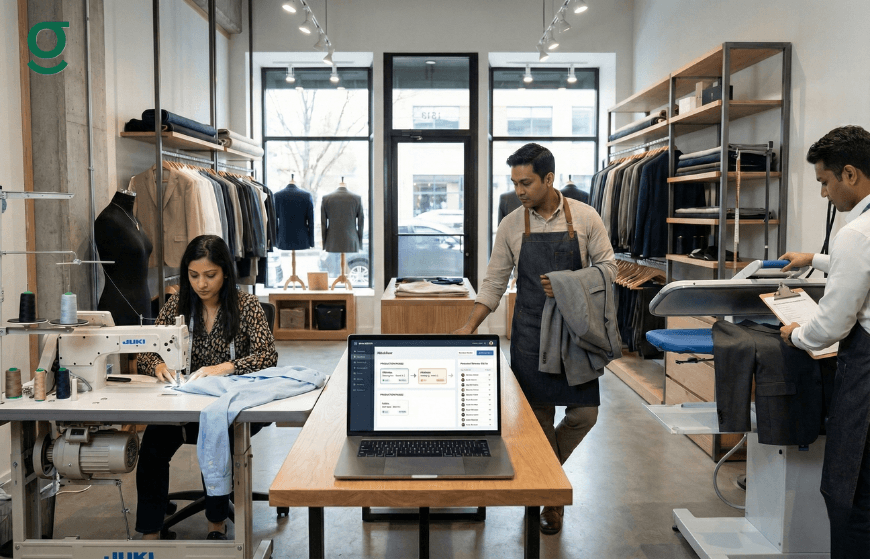
Tracking production stages in a boutique involves monitoring a garment's journey from the fabric cutting table to the final quality check. Implementing tailoring software digitizes this workflow, allowing business owners to see exactly where an order is whether it is with the master for cutting or the karigar for stitching without physically searching the shop floor.
For tailoring units and boutiques, the production line is the engine of the business. However, it is often the most chaotic area, prone to bottlenecks and lost instructions. A dedicated tailor app like GrowStitch replaces verbal updates and sticky notes with a transparent digital dashboard, ensuring timely deliveries and standardized quality.
What is Production Tracking in Tailoring Software?
Production tracking in tailoring software is the digital mapping of your physical manufacturing process. It breaks down the lifecycle of a garment into specific, trackable milestones. Instead of a generic "In Progress" status, the software provides granular visibility into specific stages such as Cutting, Stitching, Hemming, Finishing, and Ironing.
This system allows store managers and owners to know the real-time status of every order. When a master finishes cutting a suit, they update the status in the app, instantly notifying the system that the piece is ready for the next stage. This creates a digital audit trail, ensuring that no garment is left behind or forgotten in a pile of fabric.

Why Manual Tracking Leads to Delayed Deliveries

Reliance on manual tracking such as whiteboards, notebooks, or memory is the primary cause of operational delays in fashion businesses.
- Lack of Visibility: In a manual system, you cannot see bottlenecks. You might not realize a pile of blouses has been sitting with the hemmer for three days until the delivery date arrives.
- Communication Gaps: Instructions often get lost as garments move from one hand to another. A specific note about "extra padding" might not make it from the measurement book to the stitching unit.
- Accountability Issues: When a mistake happens or a delay occurs, it is difficult to pinpoint who was responsible without a digital log.
- Customer Anxiety: When a customer asks for a status update, manual tracking requires you to put them on hold, call the workshop, and physically check the item.
Step 1: Customizing Your Workflow Stages
The first step in fixing production chaos is to define your process within the tailoring software. GrowStitch is designed to accommodate the unique workflows of Indian boutiques, allowing for full customization of production stages.
- Map Your Reality: Configure the app to match your actual shop floor. Common stages include Procurement, Cutting, Stitching, Hemming, Finishing, and Quality Check.
- Add Specialized Stages: If your boutique specializes in bridal wear, you can add stages for "Embroidery," "Dyeing," or "Handwork."
- Flexibility: Not every garment needs every stage. The software allows you to skip stages for simple orders (like alterations) while enforcing a full rigorous path for complex orders (like wedding lehengas).
Step 2: Assigning Accountability to Your Team
Once stages are defined, the next step is assigning responsibility. A tailor app brings structure by linking specific tasks to specific team members.
- Role Assignment: During the onboarding process in GrowStitch, you can assign roles to your staff. You might designate one person as the "Master" responsible for cutting and another as the head of the "Finishing" department.
- Digital Job Sheets: Instead of scribbled notes, the app generates a digital job sheet for each order. This ensures the person working on the garment has access to the exact measurements, voice notes, and reference images provided by the customer.
- Hand-offs: As a garment moves from one stage to the next, the responsibility shifts in the system. This ensures that everyone knows exactly what is on their desk today and what is pending.
Step 3: Monitoring Real-Time Status on the Dashboard
The real power of tailoring software lies in the central dashboard. This is your control center, giving you a bird's-eye view of your entire production floor without needing to be physically present.
- Track Performance: The "Production Insight" feature allows you to see how many orders are currently in each stage. If you see 20 orders stuck in "Stitching" but only 2 in "Finishing," you know immediately where to allocate more resources.
- Deadline Management: The system highlights orders that are approaching their delivery dates. This allows you to prioritize urgent orders before they become overdue.
- Remote Management: Whether you are at home or traveling, you can log in to check the status of production. You can see daily progress and ensure the shop is running smoothly in your absence.
The Impact: Answering "Is My Dress Ready?" Instantly
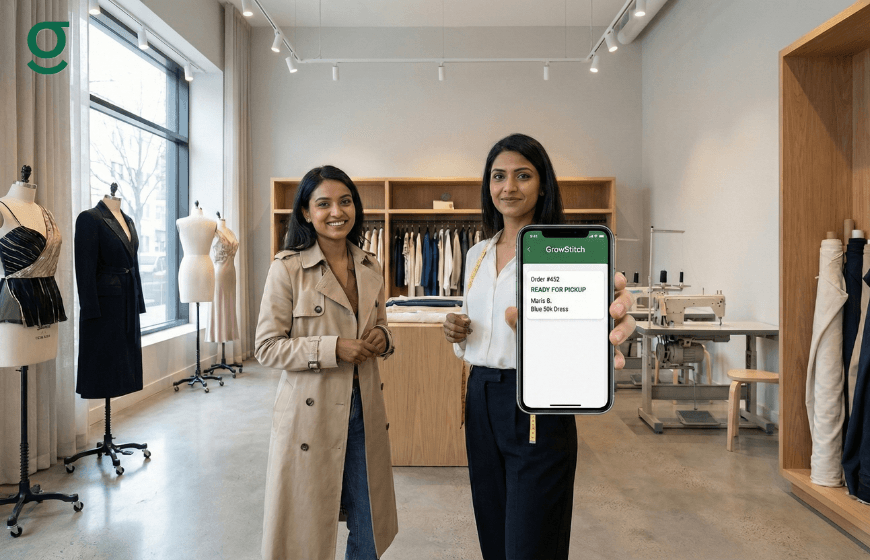
The ultimate benefit of tracking production stages is improved customer service. The question "Is my dress ready?" is the most common query a boutique receives.
With tailoring software:
- Instant Answers: You do not need to call your masterji to check. You can simply look up the customer's name in the app and say, "Yes, it is currently in the finishing stage and will be ready for pickup by 5 PM."
- Proactive Updates: Since you know exactly when an item is ready, you can send automated notifications via WhatsApp to the customer, reducing inbound calls and increasing customer trust.
- Professionalism: Providing accurate, instant updates elevates the customer's perception of your brand, moving you away from the image of a traditional "darzi" to a professional design studio.
Conclusion
Implementing tailoring software to track production stages transforms a boutique from a reactive business into a proactive one. By customizing workflow stages, assigning clear accountability, and monitoring real-time data, you eliminate the guesswork that leads to delays. GrowStitch provides the specific tools needed to digitize this journey, ensuring that from the first cut to the final press, every garment is accounted for and delivered on time.
And if you move now, the first 1,000 users get exclusive early-bird access, download the app today and stay ahead while others struggle to catch up
Frequently Asked Questions
1. Can I skip production stages for simple alteration orders?
Yes. Tailoring software like GrowStitch allows you to customize the workflow for each order. You can skip stages like "Dyeing" or "Embroidery" for simple alterations and move the order directly to stitching or finishing.
2. Does the staff need a separate app to update the status?
No, the team accesses the same centralized tailor app. Depending on the permissions you assign (e.g., Store Manager), they can view and update the status of orders relevant to their department.
3. Can you track outsourced work, like embroidery sent to another unit?
Yes. You can create a production stage specifically for outsourced work (e.g., "Sent for Embroidery"). This helps you keep track of garments that are physically out of the store but still part of the production timeline.
4. How does the software handle special instructions for the production team?
The application allows you to attach voice notes and reference images to the digital order. These are visible to the production team, ensuring they understand specific design requirements or alteration details.
5. Will you get alerts if an order is getting delayed?
The dashboard helps you monitor orders based on delivery dates. By viewing the list of orders due for delivery, you can identify which ones are still in early production stages and expedite them to avoid delays.
6. Is it difficult to set up these stages initially?
No, setting up is part of the initial onboarding. You can define your standard production flow (Stitching, Hemming, Finishing, etc.) once, and it will apply to your orders automatically, ensuring consistency from day one.